
Overview
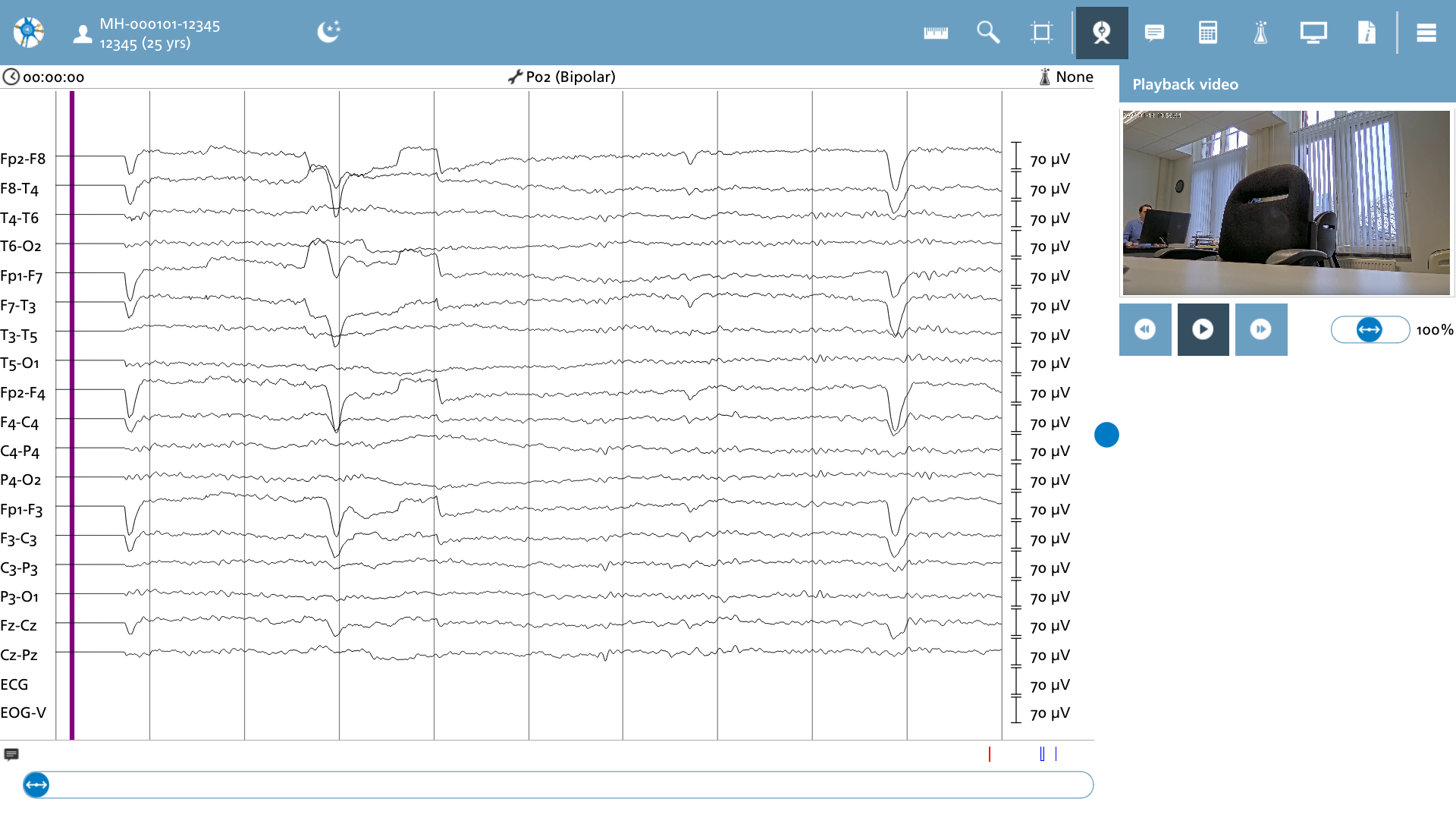
Video recordings that are captured simultaneously with EEG data can be viewed in conjunction. When the video editor function is selected, an overlay appears, featuring the video along with standard playback controls. During playback, the EEG data is synchronized with the video, as denoted by a purple cursor that indicates the specific video frame currently being displayed.
The subsequent actions available in the video playback section are as follows.
|
Icon |
Description |
|---|---|

|
Play Toggle playback on or off. |

|
Backward Position the video backward by one second. |

|
Forward Position the video forward by one second. |

|
Playback speed Alter the playback speed between 10% and 200% |
When manually adjusting the EEG slider to a specific file position, the purple video cursor will correspondingly move, resulting in the playback being set at the start of the current viewing interval.