Overview
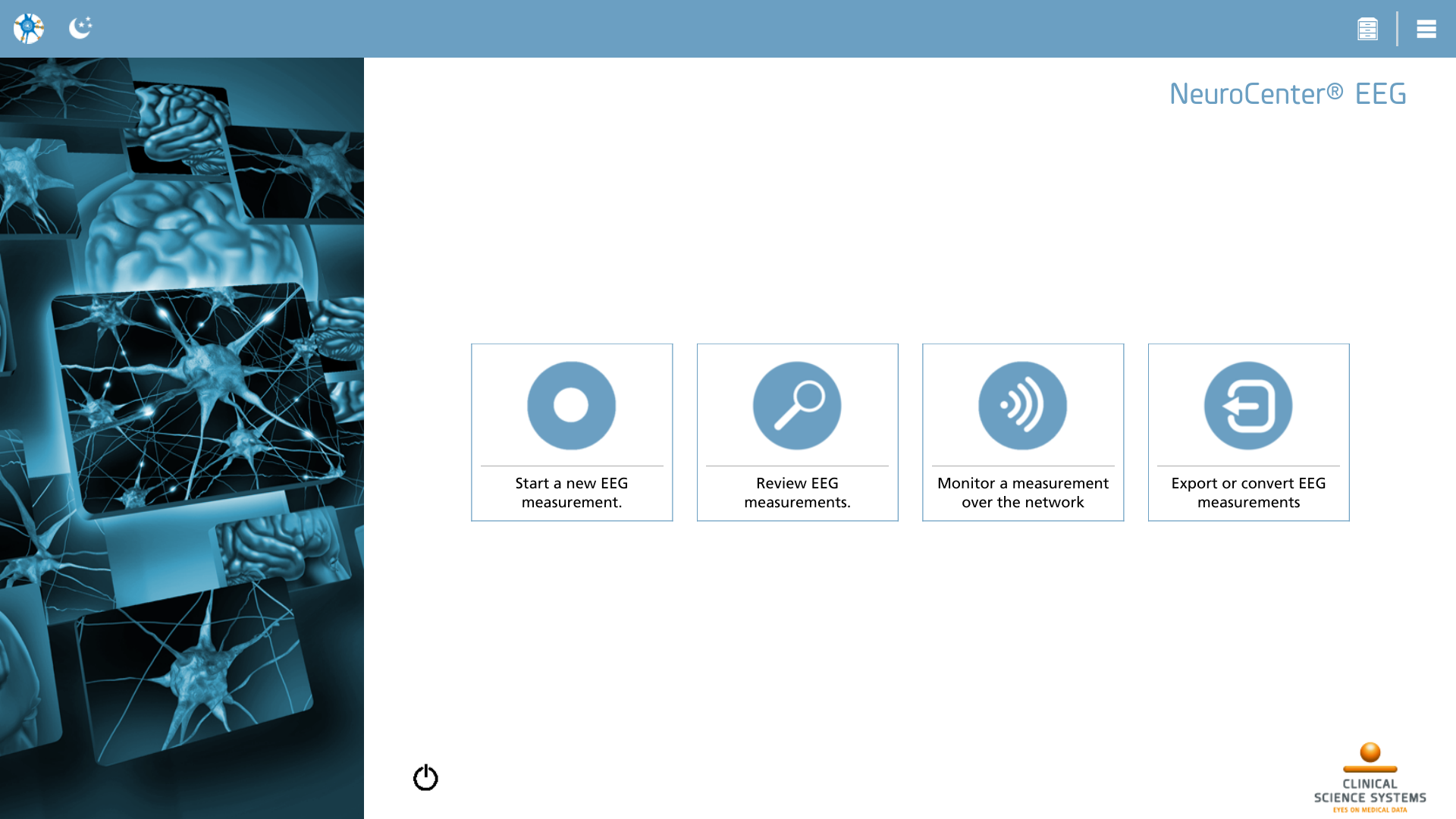
The home screen serves as the primary interface for NeuroCenter® EEG. It features action buttons corresponding to various functionalities, which are activated according to the type of license you possess. To initiate an action, simply click or tap the blue action icon. The subsequent actions may be accessible within your configuration:
|
Icon |
Description |
|---|---|

|
Record Start a new EEG measurement |

|
Review Review EEG measurements |

|
Remote Monitor a measurement over the network |
|
Export Export or convert EEG measurements |
Action toolbar
The top toolbar of the window features an action toolbar, prominently displayed in blue. This action toolbar presents the current available actions pertinent to the screen. It is important to note that this action toolbar updates dynamically within each section of NeuroCenter® EEG. To select a specific action, one may click or tap on the corresponding icon. The following actions are defined on the home screen:
|
Icon |
Description |
|---|---|

|
Home Returns to this home screen from anywhere within NeuroCenter® EEG. Keyboard shortcut ‘ESC’ can be used as well. |

|
Back Go back to the previous screen. This action replaces the ‘Home’ action in several places in NeuroCenter® EEG. Keyboard shortcut ‘ESC’ can be used as well. |

|
Day / night switch Toggles the interface colors between a light and dark theme |

|
Message center Opens the message center, displaying application messages. This action is only shown when there is at least one application message. |

|
New application message Opens the message center, displaying the latest unread application message. |

|
Cloud Storage Manager Displays the Cloud Storage Manager for handling files in the cloud. Refer to this section for more details. |

|
Configuration Opens the configuration section of NeuroCenter® EEG. This action is accessible from everywhere but the configuration section itself. Configuration is covered in depth in this section. |
Exit
The lower section of the home screen features an option to exit NeuroCenter® EEG. The visibility of this action is contingent upon the platform being utilized. When NeuroCenter® EEG is closed, all utilized amplifiers and peripherals are released, a process that may require a certain amount of time to finalize.
|
Icon |
Description |
|---|---|

|
Exit Exits NeuroCenter® EEG and returns to the desktop. |