
Overview
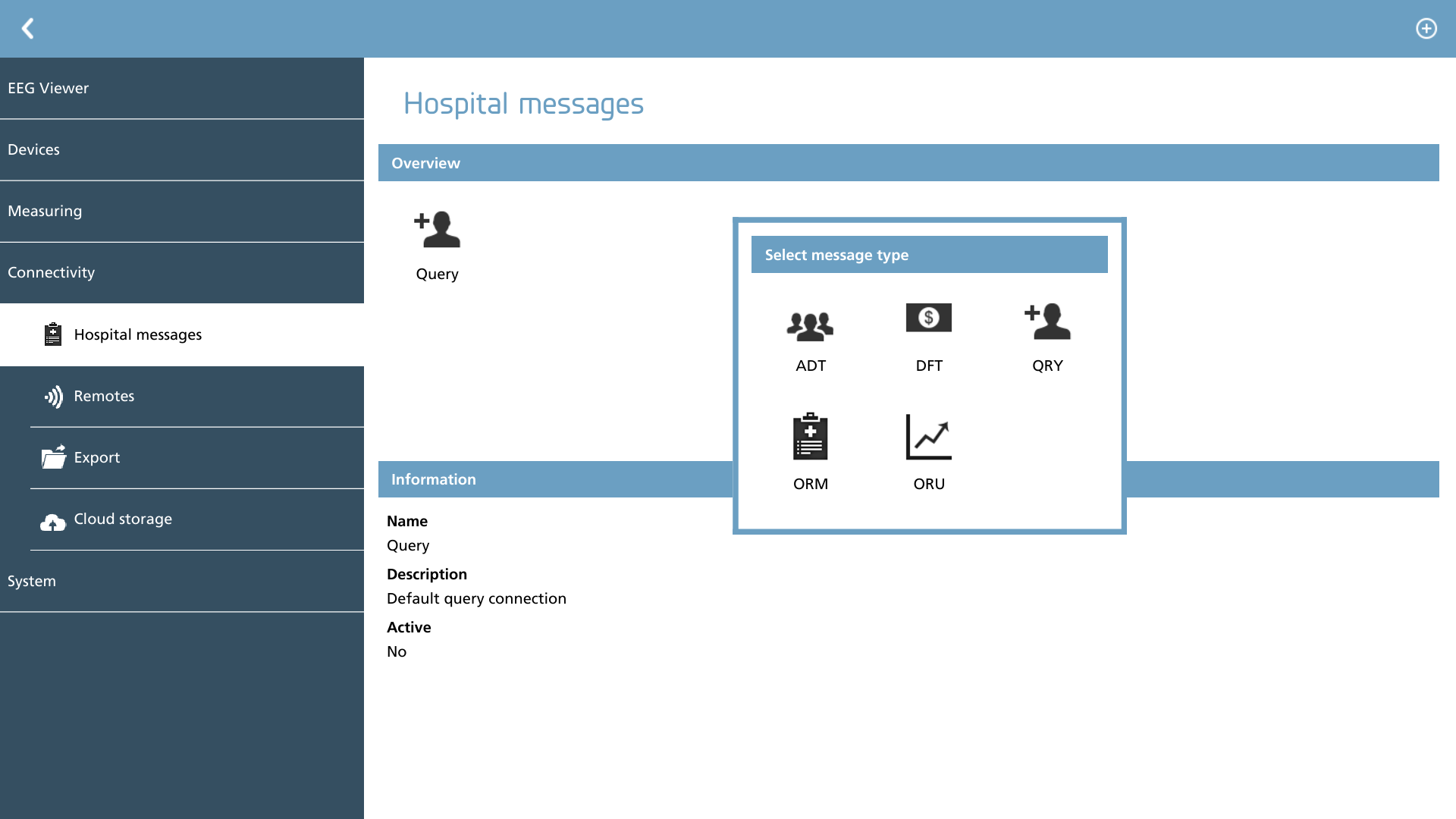
In this section, we have the capability to configure various hospital message brokers to effectively integrate NeuroCenter® EEG into the hospital infrastructure. NeuroCenter® EEG is compatible with HL7 v2. 4 message types. Consequently, when a new message broker is selected, the user can choose from the following HL7 messages:
|
Icon |
Description |
|---|---|

|
ADT Add message broker for ADT messages |

|
DFT Add message broker for DFT messages |

|
QRY Add message broker for QRY messages |

|
ORM Add message broker for ORM messages |

|
ORU Add message broker for ORU messages |
Connection options
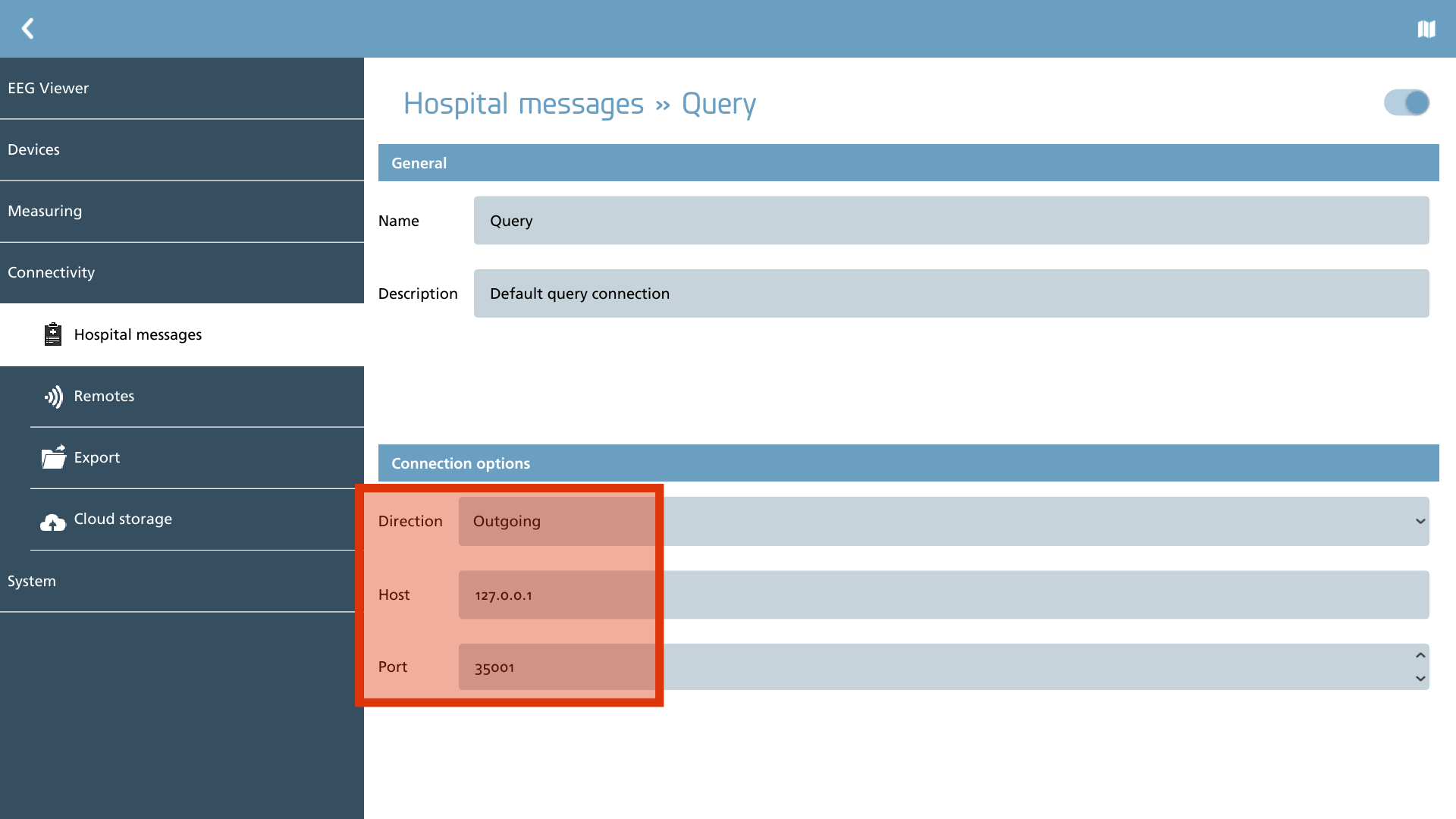
Each message broker must define its connection options, which include the direction (either incoming or outgoing), as well as the host and port specifications.
For each message broker, it is essential to provide a distinct JSON mapping that outlines the supported messages and the internal handling procedures for those messages. To modify this mapping, simply click on the Map icon located in the action toolbar.
|
Icon |
Description |
|---|---|

|
Edit map Edit the HL7 mapping specification for this message broker. |
This section provides example JSON scripts as a foundational resource. It is recommended to modify an existing script before attempting to create a new one from scratch.
JSON mapping
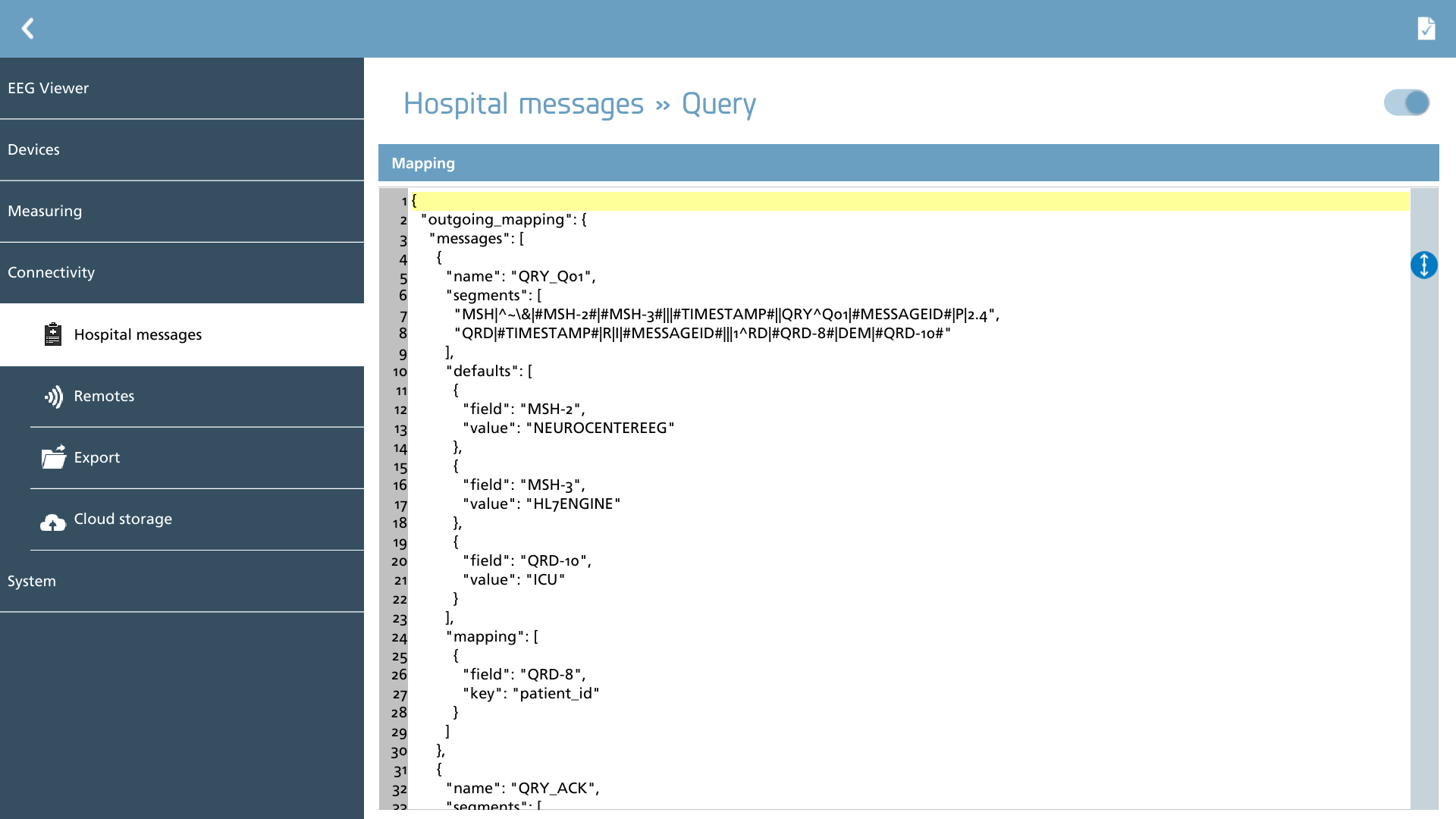
Here we can modify the JSON mapping for this message broker. An action is also available in the action toolbar to validate the JSON definition for any errors. If an error is detected, it will be highlighted beneath the JSON editor for easier identification and correction.
|
Icon |
Description |
|---|---|

|
Check Check the JSON definition for errors |
JSON root object
The primary mapping JSON comprises several keys that are essential for the root element.
{
  "outgoing_mapping":
  {
    "messages:" [
    {
      ...
    },
    {
      ...
    }
    ]
  },
  "incoming_mapping":
  {
    "messages:" [
    {
      ...
    },
    {
      ...
    }
    ]
  }
}
The definitions of the JSON keys within the root element are as follows:
|
Name |
Possible values |
Required |
Description |
|---|---|---|---|
|
outgoing_mapping |
object with message array |
X |
Defines the outgoing mapping, which refers to the messages that are to be sent to the Health Information System (HIS). |
|
incoming_mapping |
object with message array |
X |
Defines the procedures for managing incoming messages. |
JSON message object
Within each object, message objects are defined, which serve the purpose of composing or filtering HL7 messages. The primary distinction between outgoing and incoming messages lies in the presence of an additional key, known as ‘segments’, within outgoing messages. This key encompasses an array of HL7 segments. Outgoing messages may also include placeholder elements and an additional 'defaults' array, which is utilized for constructing HL7 segments with predefined values.
The following keys are established for message objects:
|
Name |
Possible values |
Required |
Description |
|---|---|---|---|
|
name |
text |
X |
Defines the name of the message type being used. This name is fixed and has to match one of the names from the right table considering the type. Please refer to the section below to get the correct name. |
|
segments |
array of text |
X |
This key is designed to include all segments intended for outgoing messages, formatted as an array of text. The texts may contain placeholder values that are enclosed between # markers. The following placeholders are provided by the message engine and should be utilized accordingly:
|
|
defaults |
array of objects |
- |
It is feasible to establish default values that can be inserted into designated placeholder locations. Each default object comprises a field and a value key, where the field specifies the placeholder and the value represents the information to be populated. |
|
mapping |
array of objects |
X |
In the context of outgoing messages, mapping should produce an array consisting of field and key items. Each field that corresponds to a placeholder item is populated with the value of the key. Conversely, in incoming messages, the mapping operates in the opposite manner: the key is populated with the field retrieved from the incoming HL7 segments. Fields can be identified by their respective segment indicator and may include sub-fields, which are delineated by a minus sign (-). For instance, to obtain the social security number from a PID segment, one would utilize ‘PID-3-1-2’ as the field value. Additionally, fields can be structured as an array, allowing for the extraction and concatenation of multiple fields from HL7 segments. A 'format' key can be defined to assemble all components in a specified manner. An example of fetching the patient name from specific PID-5 (sub)fields is illustrated below: JSON
Furthermore, the following additional keys are supported:
|
|
filter |
array of objects |
X |
Filters are established specifically for incoming messages and serve to delineate the conditions under which message processing should occur. In instances where the specified filter conditions are not satisfied, the corresponding message is disregarded. Filters are constructed using an array of field/value pairs, where the field designates the (sub)field within a particular segment (for example, MSH-9-2 to ascertain the message type) and the value represents the expected content that should be present in the actual field (for instance, A19). |
Message types and keys
Each message mapping should include controls for managing specific types of messages. It is advisable to review the table below to ensure that all message types are adequately addressed in your mapping prior to implementing this in a real-world production environment. The keys provided outline a list of keys available for composing outgoing messages, while the keys expected indicate the list of keys that the message engine anticipates being populated within the mapping.
QRY messages
|
Name |
Keys provided |
Keys expected |
Direction |
|---|---|---|---|
|
QRY_Q01 |
patient_id |
- |
Outgoing |
|
QRY_Q01 |
- |
message_control_id
|
Incoming |
|
QRY_ACK |
message_control_id |
- |
Outgoing |
|
QRY_NACK |
message_control_id |
- |
Outgoing |