
Overview
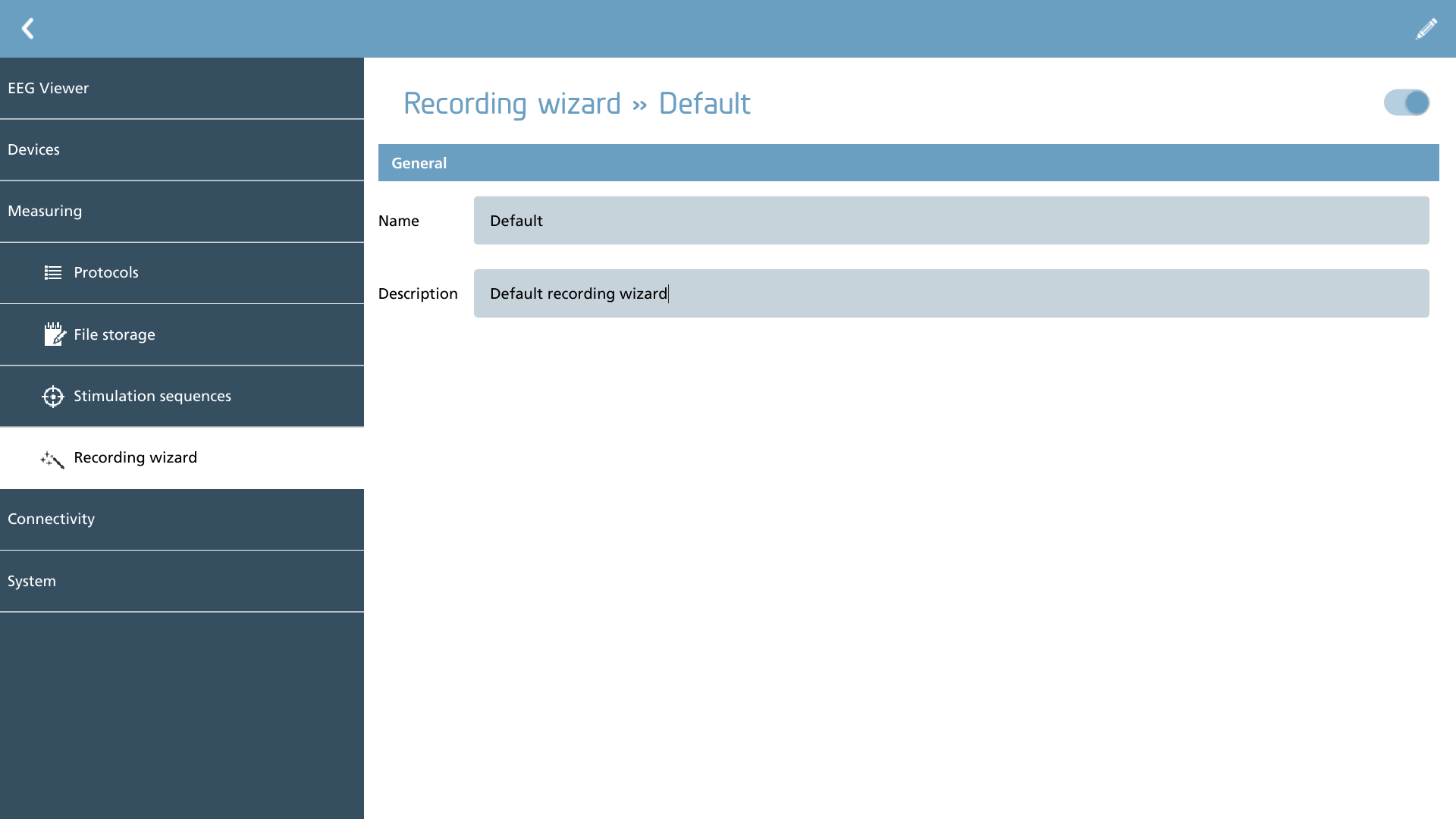
The recording wizard provides users with the capability to modify the sequence of pages displayed when initiating a new measurement. This feature offers significant flexibility to accommodate various recording requirements and to conduct necessary pre-recording checks.
To begin editing the JSON definition of the wizard, simply click on the pencil icon located in the action toolbar.
|
Icon |
Description |
|---|---|

|
Edit Open the JSON editor for this element |
This section provides example JSON scripts as a foundational resource. It is recommended to modify an existing script before attempting to create a new one from scratch.
JSON editor
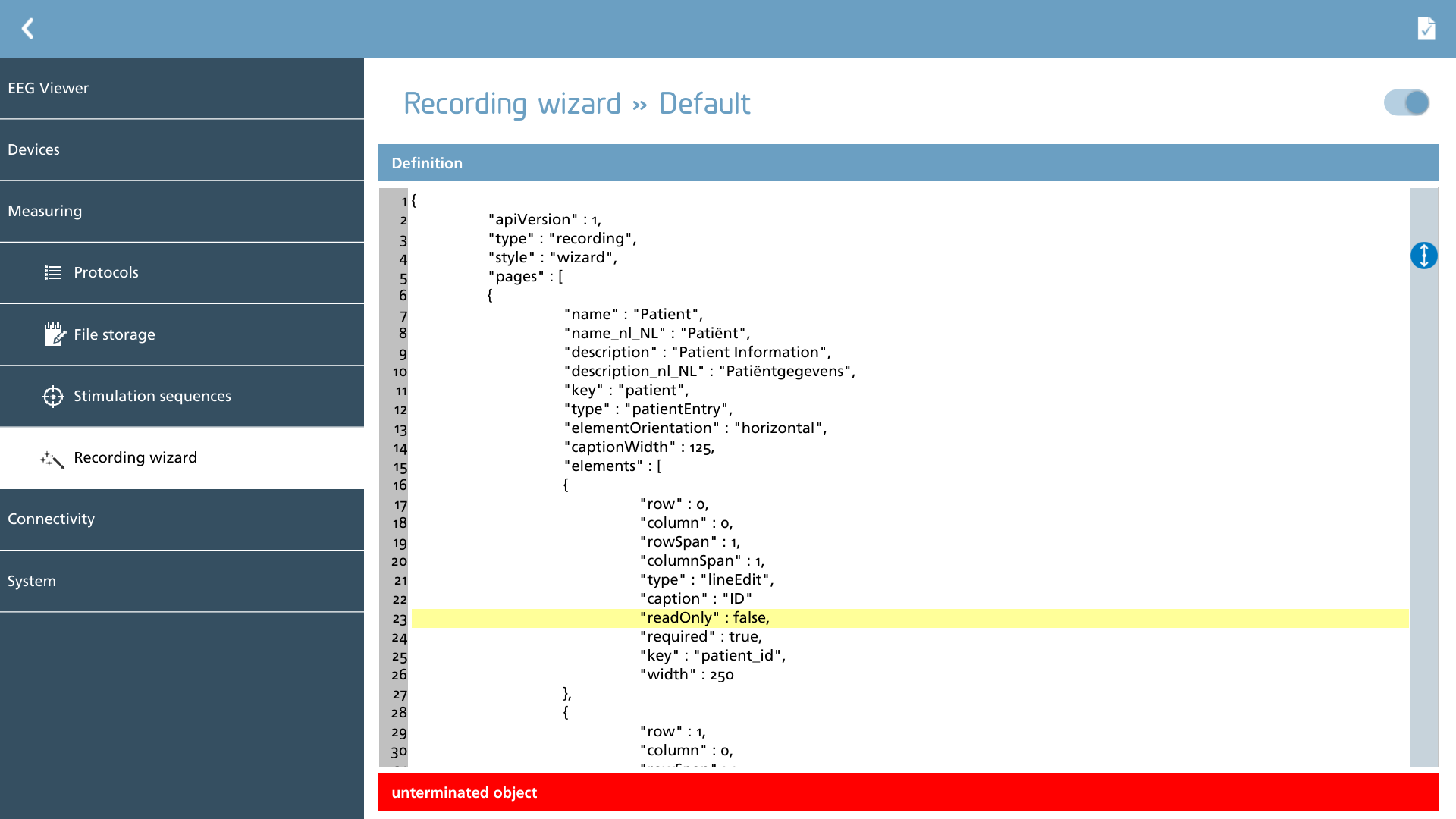
The JSON definition of the wizard can be entered or modified in this section.
To verify the JSON for any syntax errors, select the check action from the action toolbar. The editor will highlight any errors detected; if no errors are present, no message will be displayed.
|
Icon |
Description |
|---|---|

|
Check Check the JSON definition for errors |
JSON definition
The recording wizard JSON document is structured as a hierarchy of objects. It includes a pages array, which contains an elements array that defines the various elements present on each page of the wizard. This architecture facilitates organized data management and enhances the functionality of the wizard.
{
	"apiVersion" : 1,
	"type" : "recording",
	"style" : "wizard",
	"pages" : [
	{
		"elements" : [
		{
			...
		},
		{
			...
		}]
	},
	{
		...
	}]
}
The definitions of the JSON keys within the root element are as follows:
|
Name |
Possible values |
Required |
Description |
|---|---|---|---|
|
apiVersion |
1 |
X |
The API version for this wizard |
|
type |
recording |
X |
The type of wizard this JSON defines |
|
style |
wizard |
X |
The style of this type of wizard |
|
pages |
array |
X |
Array of pages |
Pages JSON
The pages object in JSON is structured as an array consisting of elements of the page type. This structure is enhanced by keys that facilitate the configuration of these elements on the page, as well as the definition of the specific page type.
"pages" : [
{
	"name" : "Patient",
	"name_nl_NL" : "Patiënt",
	"description" : "Patient Information",
	"description_nl_NL" : "Patiëntgegevens",
	"key" : "patient",
	"type" : "patientEntry",
	"elementOrientation" : "horizontal",
	"captionWidth" : 125,
	"pageVariables" : {
		"key1" : "value1"
	}
	"elements" : [
	{
		...
	},
	{
		...
	}]
},
{
	...
}]
The meaning of the JSON objects in the page object is as follows:
|
Name |
Possible values |
Required |
Translatable |
Description |
|---|---|---|---|---|
|
captionWidth |
number |
- |
- |
Optional width in px of the captions. Only active when elementOrientation is set to horizontal |
|
checkPageCompleteTimeout |
number |
- |
- |
Defines a timeout in seconds before the page will be validated on correct input. The user has to wait at least this amount of time before proceeding. |
|
description |
text |
X |
X |
The description used at the top of the page, before the elements |
|
elementOrientation |
horizontal | vertical |
- |
- |
Whether captions should be aligned row-wise (horizontal) or column-wise (vertical). If not specified, horizontal is the default |
|
elements |
array |
X |
- |
Array of elements on this page |
|
key |
text |
- |
- |
Optional key when data input should be stored |
|
name |
text |
X |
X |
The name of the page, used in the step indicator of the wizard |
|
pageTimeout |
number |
- |
- |
Set the timeout for the page in terms of seconds. Upon reaching the specified timeout, the wizard will progress to the next page in the sequence. If this element is situated on the final page, the wizard will complete its process. It is important to note that the timeout will only be activated if all conditions of the page are satisfied. |
|
pageVariables |
object |
- |
- |
An object containing variables for this page. Can be used to fill in default values. |
|
type |
impedance | offlineMeasurement | patientEntry | protocolEntry | generic |
X |
- |
Defines the type of page within a structured framework. It is essential to consider the following limitations:
|
Translatable items can be localized by appending an underscore (_), the appropriate ISO-639 language code, another underscore (_), and the ISO-3166 country code to the specific key. For instance, to provide a Dutch description, one would simply add the key: description_nl_NL within the same page element.
Element JSON
The elements section in the JSON format consists of an array that categorizes various element types present on a specific page. These items are organized on a virtual grid-based canvas, with their positions determined by the respective row and column values.
"elements" : [
{
	"row" : 0,
	"column" : 0,
	"rowSpan" : 1,
	"columnSpan" : 1,
	"type" : "lineEdit",
	"caption" : "ID",
	"readOnly" : true,
	"required" : true,
	"key" : "patient_id",
	"width" : 250,
	"visible" : true,
	"default" : "181296650"
},
{
	...
}]
The significance of the JSON objects within the element section is as follows:
|
Name |
Possible values |
Types |
Required |
Translatable |
Description |
|---|---|---|---|---|---|
|
type |
dateCalendar | cameraPreview | checkBox | lineEdit | image | impedanceCheck | multipleChoice | offlineMeasurementConfig | recentPatients | recordingProtocol | spacer |
All |
X |
- |
The type of element. |
|
caption |
text |
All, but spacer |
X |
X |
The caption used along the desired input element. |
|
key |
text |
All, but spacer |
X |
- |
Defines the key for reference in other pages. Mandatory key when data input should be stored. Make sure that the following keys are mandatory. If keys are not used as part of user input, provide them as hidden elements with a default value. patientEntry type of pages should provide patient_id, name, sex and birthday keys. Optional patient_id2 can be provided. protocolEntry type of pages should provide a protocol_id key. |
|
required |
true | false |
All, but spacer |
- |
- |
Indicates if an element can be left blank (false) or not (true). When not specified the default is false. Make sure to specify a key value as well, as requirements are checked internally by their corresponding keys. |
|
visible |
true | false |
All |
- |
- |
Indicates if an element is visible (true) or not (false). When not specified the default is true. |
|
default |
text | date | choice | protocolEntry |
All |
- |
- |
Set a default value for a specific field. This can be a single value or a composite object. The composite object has the following structure: JSON
Within the composite object, every value can be filled in with arguments in subsequent order. Each %1, %2, etc will be filled with arguments from the arguments array. The specific types which can be used are listed in the composite default argument table below. |
|
column |
number |
All |
- |
- |
The column in the virtual grid in which the element should be placed. |
|
columnSpan |
number |
All |
- |
- |
The number of columns the element should span. |
|
row |
number |
All |
- |
- |
The row in the virtual grid in which the element should be placed. |
|
rowSpan |
number |
All |
- |
- |
The number of rows the element should span. |
|
displayFormat |
text |
dateCalender |
- |
X |
The display format for the calender type. See table below for details. |
|
plugin |
text |
cameraPreview |
X |
- |
The full package name name of the camera plugin to use. |
|
pluginParameters |
object |
cameraPreview |
X |
- |
The plugin parameters for the selected plugin. |
|
animated |
true | false |
image |
- |
- |
If the file is an animated GIF, this flag should be set to true to play the GIF. |
|
file |
text |
image |
X |
- |
The filename to the file which should be shown. |
|
repeat |
true | false |
image |
- |
- |
Indicates if the animated GIF playback should be repeated (true) or not (false). When not specified the default is false. |
|
scaled |
true | false |
image |
- |
- |
Indicates if the image should be scaled to fill up the wizard space (true), or not (false). When not specified the default is false. |
|
headLayout |
number |
impedanceCheck |
- |
- |
The headlayout to show (0 = 10-20, 1 = 10-10 and 2 = 10-20 MCN). When not specified the default is 0. |
|
mode |
basic | impedance |
impedanceCheck |
- |
- |
This setting is crucial as it determines the impedance mode for the amplifier. When the ‘impedance’ option is selected, the amplifier will transition to impedance mode (if supported), enabling real-time measurement of impedance. In contrast, choosing ‘basic’ mode will configure the amplifier for signal acquisition, during which it verifies the connection. Upon detecting a signal, the corresponding electrode will be highlighted in green within the overview, providing a visual cue. If no mode is selected, the system will default to ‘impedance’. |
|
referenceImpedance |
number | referenceImpedanceObject |
impedanceCheck |
X |
- |
When a number is given, the reference impedance is used for all channels and is in kOhm. Any impedance under this number is considered good and indicated with a green light. When a referenceImpedanceObject is given, see the table below for the meaning of the object. |
|
showImpedanceValues |
true | false |
impedanceCheck |
- |
- |
Show real impedance values next to the electrode position. When not specified the default is false. |
|
showVisibleChannels |
array |
impedanceCheck |
- |
- |
Shows only the selected channels, who’s names have been specified in the array. When not given any channels, the full electrodemap is shown. |
|
inputMask |
text |
lineEdit |
- |
X |
The inputmask for this element. See table below for details. |
|
readOnly |
true | false |
lineEdit | dateCalendar |
- |
- |
Indicates if an element is read-only (true) or not (false). When not specified the default is false. |
|
width |
number |
lineEdit | dateCalendar | recentPatients |
- |
- |
Specify a fixed width in px for this element. |
|
choices |
array |
multipleChoice |
X |
- |
The choices for a multiple choice type of element. |
|
count |
number |
recentPatients |
- |
- |
Specify the number of recent patients to be shown for this element. |
|
height |
number |
recentPatients |
- |
- |
Specify a fixed height in px for this element. |
|
orientation |
horizontal | vertical |
spacer |
- |
- |
Whether the spacer should extend horizontally or vertically. If not specified, horizontal is the default. |
Composite default arguments
For a comprehensive analysis of the objects utilized when employing composite default arguments, please consult the following table:
|
Name |
Possible values |
Types |
Required |
Translatable |
Description |
|---|---|---|---|---|---|
|
padCharacter |
character |
All |
- |
- |
Defines the character to pad the text. |
|
padLength |
integer |
All |
- |
- |
Defines the pad length for justifying the text. |
|
rightJustified |
true | false |
All |
- |
- |
Indicates whether the argument should be right justified with pad characters. |
|
type |
pageVariable | elementKey | currentDateTime |
- |
X |
- |
Determines the type of argument, wether it be a fixed pageVariable, a filled in elementKey (typically an input object) or a currentDateTime. |
|
uppercase |
true | false |
All |
- |
- |
Indicates if the argument should be converted to uppercase. |
|
value |
All |
All |
X |
- |
Defines the value to be used as an argument. pageVariable and elementKey should contain the name of the key. currentDateTime value should follow the format in display input table below. |
Translatable items can be localized by appending an underscore (_), followed by the appropriate ISO-639 language code, another underscore (_), and the ISO-3166 country code to the specific key. For instance, to provide a description in Dutch, one would simply add the key: description_nl_NL within the same element.
Input mask table
|
Character |
Description |
|---|---|
|
A |
ASCII alphabetic character required. A-Z, a-z. |
|
a |
ASCII alphabetic character permitted but not required. |
|
N |
ASCII alphanumeric character required. A-Z, a-z, 0-9. |
|
n |
ASCII alphanumeric character permitted but not required. |
|
X |
Any character required. |
|
x |
Any character permitted but not required. |
|
9 |
ASCII digit required. 0-9. |
|
0 |
ASCII digit permitted but not required. |
|
D |
ASCII digit required. 1-9. |
|
d |
ASCII digit permitted but not required (1-9). |
|
# |
ASCII digit or plus/minus sign permitted but not required. |
|
H |
Hexadecimal character required. A-F, a-f, 0-9. |
|
h |
Hexadecimal character permitted but not required. |
|
B |
Binary character required. 0-1. |
|
b |
Binary character permitted but not required. |
Examples
9999 Requires a 4-digit input
99 Requires a 2-digit input
AA99 Requires 2 characters, followed by 2 digits
Display Format table
|
Character |
Description |
|---|---|
|
d |
the day as number without a leading zero (1 to 31) |
|
dd |
the day as number with a leading zero (01 to 31) |
|
ddd |
the abbreviated localized day name (e.g. 'Mon' to 'Sun'). |
|
dddd |
the long localized day name (e.g. 'Monday' to 'Sunday'). |
|
M |
the month as number without a leading zero (1-12) |
|
MM |
the month as number with a leading zero (01-12) |
|
MMM |
the abbreviated localized month name (e.g. 'Jan' to 'Dec'). |
|
MMMM |
the long localized month name (e.g. 'January' to 'December'). |
|
yy |
the year as two digit number (00-99) |
|
yyyy |
the year as four digit number |
Examples
|
Format |
Result |
|---|---|
|
dd.MM.yyyy |
02.07.1969 |
|
MMM d yy |
Jul 2 69 |
|
MMMM d yy |
July 2 69 |
impedanceReferenceObject
|
Name |
Possible values |
Required |
Translatable |
Description |
|---|---|---|---|---|
|
baseValue |
number |
X |
- |
The overall impedance threshold in kOhm. Will be used when channel specific impedance is not specified. |
|
disconnectedValue |
number |
- |
- |
The maximum impedance which above a channel is considered disconnected in kOhm. Default is 1000. |
|
otherReference |
array |
- |
- |
Defines specific impedance references for individual or groups of channels. Each element consists of an array of channel names with key “channel” and a value in kOhm with key “value”. |