
Overview
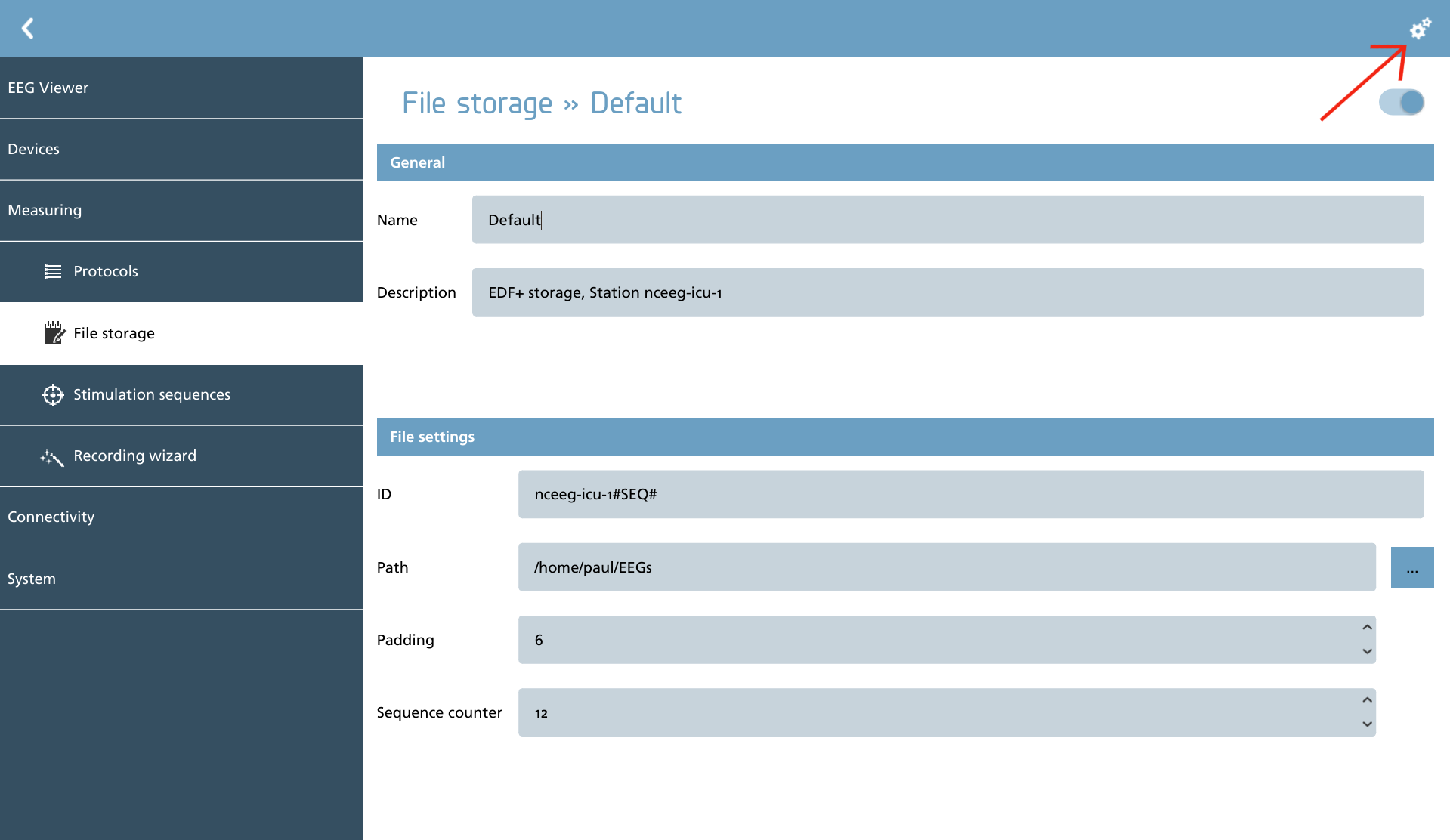
For each file storage container, it is essential to establish basic settings, while advanced settings can also be configured as needed.
Firstly, a unique ID must be assigned to this storage container, which should incorporate a sequence counter. This is achieved by inserting the case-sensitive keyword ‘#SEQ#’. Furthermore, the sequence can be formatted by specifying a padding number, which will zero pad the sequence number to the right, effectively prepending zeros.
Additionally, a storage path can be designated by utilizing the browse icon located next to the ‘Path’ input field.
The sequence counter determines the next number to be utilized in this sequence. It is important to refrain from altering this number unless you possess explicit knowledge and understanding of the implications of such changes.
For those seeking to access advanced settings, the cogs icon in the action toolbar should be selected. This section also allows for the configuration of plugin settings.
|
Icon |
Description |
|---|---|

|
Advanced Display the advanced file settings section as well as plugin settings. |
Advanced settings
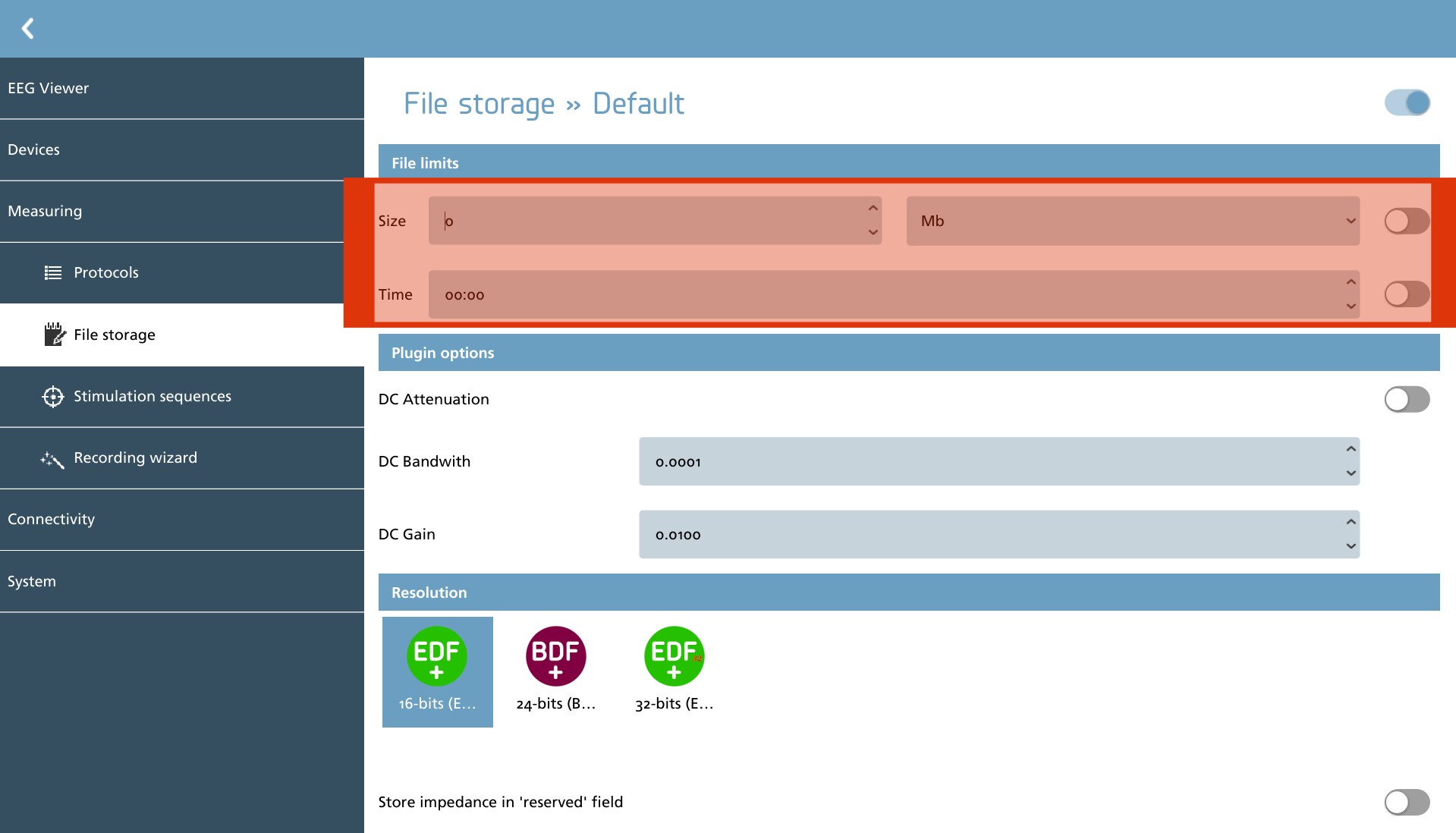
Within the advanced sections, two types of file limits can be established:
-
File size can be limited by a fixed number of bytes (Mb, Gb, and Tb);
-
File duration can be restricted by specifying a specific time.
Once these parameters are defined, it is essential to activate the settings using the corresponding slider adjacent to the desired configuration. It is worth noting that both settings can be enabled simultaneously.
Additionally, plugin options are presented here for the selected plugin.
Plugins
The plugins delineate the available signalfiles. Certain plugins necessitate additional configuration, while those that do not require specific setup are not discussed further in this context. Below is the current set of plugins along with a brief description of each.
|
Icon |
Description |
Configurable |
|---|---|---|

|
EDF+ Support for European Data Format+ (EDF+) file format |
Yes |
EDF+
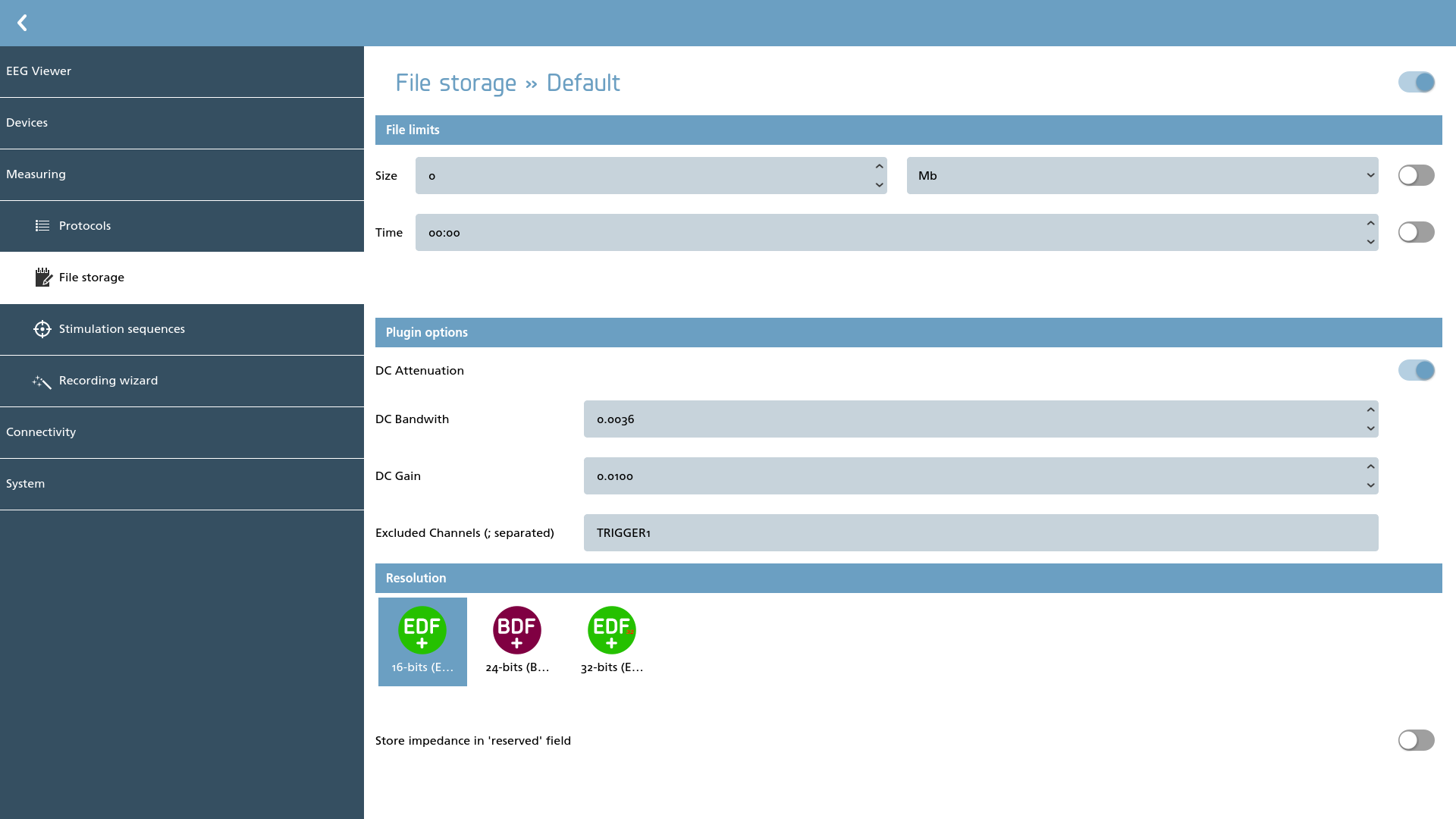
The EDF+ file format plugin complies with the specifications established by the European Data Format+, which is recognized as an open standard: https://www.edfplus.info. This plugin facilitates the storage of data in three distinct resolutions and fully integrates the DC Attenuation supplement as detailed at: https://www.edfplus.info/specs/DCattenuator.html.
To ensure the accurate storage of signals featuring substantial offsets in standard 16-bits EDF+, it is advisable to consult the related article referenced in the supplement. Nevertheless, for most applications, the following parameters can be reliably utilized:
-
DC Bandwidth: 0.036
-
DC Gain: 0.01 - 0.10
Implementing these values effectively reduces the offset to 1 - 10% of its original magnitude. It is essential to activate the DC Attenuation after configuring the appropriate values for bandwidth and gain. In instances where a higher storage resolution is employed, the utility of DC Attenuation may diminish, allowing for its deactivation to prevent unnecessary processing prior to storage.
To exclude specific channels, such as trigger channels or slow-changing DC-based auxiliary inputs, one should enter their names or aliases in the ‘Excluded channels’ input field. It is possible to include multiple channels by separating them with a semicolon (;).
The plugin supports the following resolutions:
|
Icon |
Description |
|---|---|
|
|
16-bits EDF+ The original implementation. If no resolution is selected, this is the default. |

|
24-bits BDF+ Also called the BIOSEMI Data Format, after the the company that used it first.
|
|
32-bits EDF+ Experimental support for 32-bit storage has been proposed on the EDF+ mailing list. While this implementation is functional, it is important to note that widespread adoption in practical applications may not be anticipated at this time. |
When analyzing recorded EEG data that results in ‘clipped’ data (which indicates that the data is out-of-range according to the defined protocol), it is advisable to follow this systematic approach to adjust the recording settings:
-
Activate DC attenuation and identify the maximum gain that is most effective;
-
Modify the range in the protocol settings to accommodate the data;
-
Enhance the resolution and revert to step 1 to ensure optimal settings.
It is important to refrain from compensating for recording offsets caused by worn electrodes through coarse adjustments in DC attenuation, range, or resolution. If you encounter a scenario where such adjustments become necessary, it may indicate that the electrodes require replacement or maintenance.
The EDF+ format does not include a method for storing single-shot impedance measurements, which are typically conducted at the beginning of each measurement session, alongside the data. However, the plugin offers an option to store these measurements in the ‘reserved’ field of each channel within the header of the EDF+ file. This feature represents a deviation from the standard specification and can be enabled or disabled via the provided switch.